How to Install PDF Metadata Editor on Arch Linux
🇬🇧 A quick guide on installing a user-friendly PDF metadata editor on Arch Linux from the AUR.
If you need a simple and effective tool to edit PDF metadata on Arch Linux, the pdf-metadata-editor is an excellent choice. This graphical application allows you to easily view, edit, and remove metadata fields like Title, Author, Subject, and more.
Screenshots
| Document | XMP Dublin Core | Preferences |
|---|---|---|
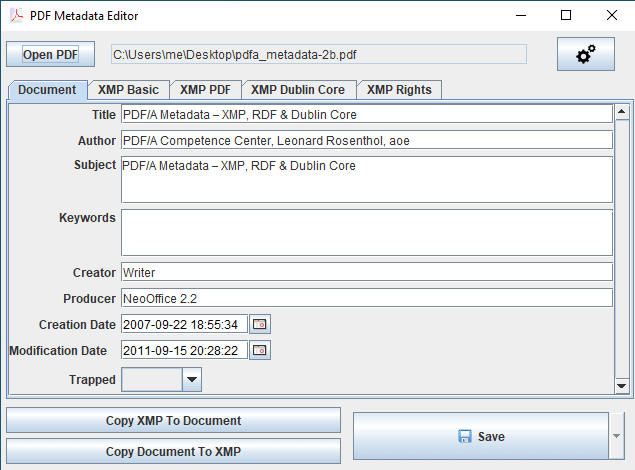 |
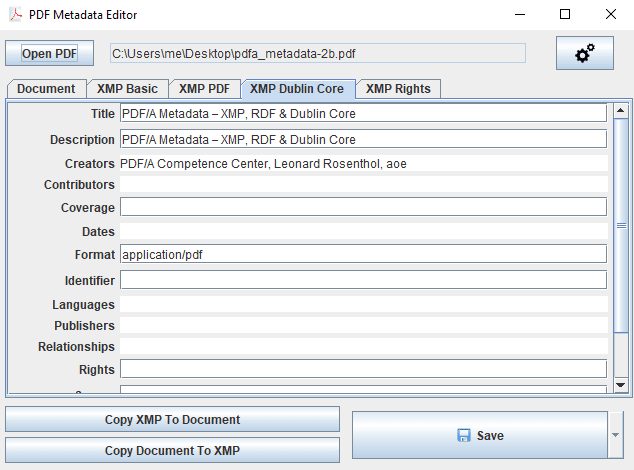 |
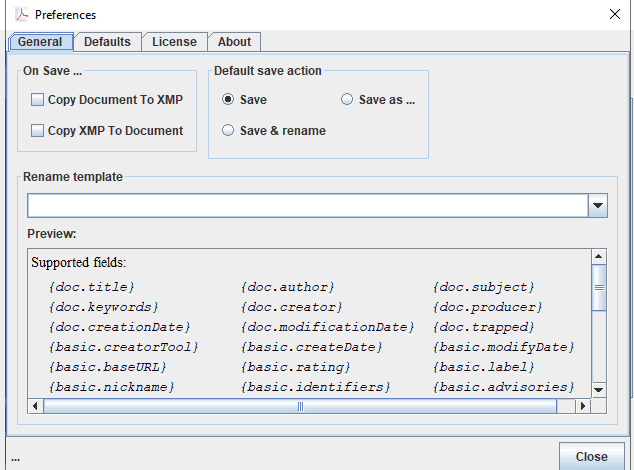 |
Features
- Edit Core Metadata: Modify fields such as Title, Author, Subject, Keywords, Creator, and Producer.
- Manage Dates: Change the CreationDate and ModDate of your PDF files.
- Strip All Metadata: A one-click option to remove all metadata for a clean file.
- User-Friendly GUI: A simple and intuitive interface that requires no command-line knowledge.
- Cross-Platform: Also available for Windows and macOS.
Installation on Arch Linux
The easiest way to install pdf-metadata-editor on Arch Linux is by using an AUR helper like yay.
-
Install the package from AUR:
Open your terminal and run the following command:
1
yay -S pdf-metadata-editor-bin
This command will handle downloading the source, building the package, and installing it on your system.
-
Run the Application:
Once installed, you can launch the application from your desktop environment’s application menu or by running the following command in your terminal:
1
pdf-metadata-editor
Usage
- Open the application.
- Click “Open PDF” to select a file.
- Edit the desired metadata fields.
- Click “Save” to apply the changes to a new file or overwrite the existing one.
- Use “Remove All Metadata” to clear all metadata from the PDF.
Links
- GitHub Repository: https://github.com/zaro/pdf-metadata-editor
- AUR Package: https://aur.archlinux.org/packages/pdf-metadata-editor-bin